


Austin News from KVUE
4.2668.00 Reviews
App Specs
- Version
- 50.23.2
- Updated On
- License
- Free
- Downloads
- 100,000+
- Developer
- TEGNA
- Categories
- News & Magazines
- Platform
- Android
Screenshots





 Analysis by AppCompare
When I want local information in Austin without sorting through a national news feed, Austin News from KVUE has a clear purpose: it brings Central Texas news, weather and traffic into one mobile destination. I found it most useful as a quick check during a busy day rather than as my only source for every story. The app comes from TEGNA, is free to use, and is listed for everyone, which makes it easy to recommend to local readers who want a straightforward connection to KVUE’s coverage.
That narrow focus is also the reason to consider it carefully. Someone living in Austin or following the area closely can get practical value from a local news app. Someone looking for international reporting, deep national analysis or a broad collection of publishers may feel limited. My experience is that the app works best when I treat it as a local information tool: open it when I need to understand what is happening nearby, check conditions before travelling, and return later when a developing story affects my plans.
Getting past the first points of friction
The first difficulty with any local news app is knowing what to expect from it. This is not a general-purpose news reader that tries to cover every region equally. Its identity is Austin and Central Texas, so the value depends heavily on whether those are the places that matter to you. I would install it for local awareness, not because I expect it to replace a national newspaper app, a dedicated weather service or a navigation tool.
There is also a difference between opening an app for a headline and using it during an active situation. A headline can tell me that something is happening, while traffic and weather information help me decide what to do next. That makes the app especially relevant before a commute, while planning an evening outdoors, or when a local event may affect roads. The practical benefit comes from combining those sections instead of reading only the top story.
On the store, it carries a 4.2 average from around two thousand ratings, with more than six hundred written reviews. It has passed one hundred thousand installs, so it is not an obscure experiment with no established audience. Those figures suggest a useful level of adoption, but they do not guarantee that every update, story or loading session will feel perfect on every phone. I still judge it by whether it helps me answer a local question quickly.
One common sticking point is expecting every item to behave like a complete article from a national publication. Local news coverage can be brief, developing or focused on immediate service information. If I open a story and find that it is mainly an update rather than a long investigation, I do not see that as a defect by itself. The right question is whether the item gives enough context for my immediate decision and whether I should return later for developments.
Another point of friction is using the app while a connection is weak. News, weather and traffic are information that normally needs to be retrieved as it changes. If a page takes longer to load, I first check whether other apps are also struggling before blaming the application. Moving between a reliable Wi-Fi connection and mobile data, then reopening the app, is a more sensible first step than repeatedly tapping the same screen.
Worth Reading Before You Choose

EA SPORTS FC Mobile 26 Is a Bigger Football Game, but It Takes Time

Flipboard Shows What News Apps Must Do Beyond the Feed

Switching to Android Auto Means Rethinking Your Driving Routine

Google Calendar Makes a Crowded Week Easier to Manage

Ludo King Makes the Most of the Minutes Between Plans

Baby Panda World Brings Quick Play to Modern Phones, but Its Game Library Feels Busy
Simple checks before assuming something is broken
I recommend starting with the basics: confirm that the phone has a working connection, close the app completely, and open it again. If other websites or apps load normally but this one does not, I would check whether the device has enough free storage and whether the installed version is current. The listed current version is 50.21.0, and the app supports devices running at least iOS or Android version 7.1, depending on the platform listing. Keeping the app and operating system reasonably current can remove avoidable compatibility problems.
It is also worth checking the phone’s date and time settings. A device with an incorrect clock can create confusing behavior in apps that retrieve current information, particularly when a reader is trying to interpret a recent update. I would correct the system time, restart the app, and test again before changing more serious settings.
If the app opens but a particular section does not refresh, I would avoid rapidly switching between pages. Give the request a moment, then try one clean refresh. Repeated taps can make it harder to tell whether the original request is still processing. This small habit is useful when checking traffic before leaving home, because a rushed sequence of reloads can create the impression that the entire app is unresponsive.
For readers who are concerned about cost, the app is free. That makes it easy to try without committing to a subscription. Free access does not mean it will replace every other information service, though. I would still keep a navigation option for route planning and a weather source I trust for detailed forecasts. The strength here is the local newsroom connection and the convenience of having related Austin information in one place.
The age rating is Everyone, so the app is positioned for a broad audience rather than a specialized adult readership. That is helpful for a household where several people want local updates, but it should not be confused with a promise that every story will suit every personal preference. News can cover serious events, and parents or younger readers may still benefit from normal guidance about what they read.
Recovering a useful routine after a failed session
When an app session goes wrong, my preferred recovery method is deliberately simple. I note what I was trying to do, close the app, confirm the connection, and reopen it once. If the issue remains, I try another section rather than repeatedly forcing the same page. For example, if a story is slow, I may check whether the weather or traffic area loads. This helps distinguish a single content-loading problem from a broader app or connection problem.
If the app becomes stuck after an update, restarting the phone is a reasonable next step. I would only consider clearing temporary app data or reinstalling after making sure I do not need anything currently open. Reinstallation can solve damaged local files, but it is a blunt tool and should not be the first reaction to one slow story. The goal is to restore a dependable reading habit, not to spend more time repairing the tool than using it.
For notification-related frustration, I would inspect the phone’s notification controls and the app’s own available settings rather than assuming that every alert is mandatory or that none can be adjusted. Menu names can vary by device, so I would look for notification controls in the app and in the operating system. If I want a quieter phone, I can keep the app for manual checks and reduce interruptions at the system level.
A practical workflow is to check local headlines at a calm time, then use the weather and traffic information when a decision is actually approaching. I find this better than opening the app every few minutes. It reduces distraction and makes the information more useful: I am checking because I need to decide whether to leave, change a route or prepare for conditions, not simply refreshing out of habit.
When the phone, connection or expectation is the real problem
Some complaints that appear to be app failures are really caused by the surrounding setup. An older phone may have limited memory, a crowded storage drive or aggressive background restrictions. A weak signal can make current information appear stale, while a battery-saving mode may delay normal activity. I cannot solve those conditions from inside a news app, so I first test the phone with another service and check whether the same slowdown appears elsewhere.
Location expectations can also cause confusion. A local news application can cover Central Texas without automatically behaving like a turn-by-turn navigation service. If I need an exact route, road-by-road directions or a live map for a trip, I use a dedicated navigation app. I use this one to understand the local situation and then make the route decision with the appropriate tool.
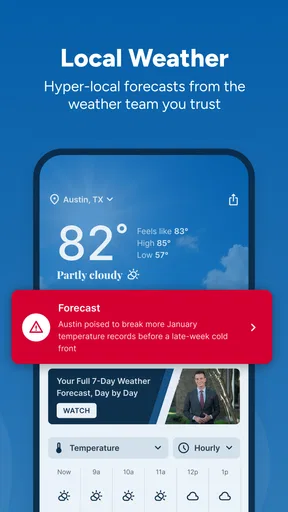
The same distinction applies to weather. Local reporting can help me understand what is happening around Austin, but people who need highly detailed forecasting tools, radar controls or specialized outdoor planning may prefer a dedicated weather application. I would not mark this app down for failing to be something it was not designed to be. I would mark it down only if I expected one local news app to cover every weather need.
Readers outside Central Texas should think about relevance before installation. The app may still interest former residents, family members or people planning a visit, but its usefulness will naturally be lower if local Austin information is not part of daily life. A broad news aggregator is the better choice for someone who wants multiple cities, national coverage and international stories in a single feed.
There is another trade-off between convenience and depth. A single local source is easier to scan, but relying on one outlet can narrow the range of perspectives I encounter. For important civic, safety or public-interest topics, I prefer to compare the local report with official information and, when appropriate, another reputable source. That is not a criticism unique to this app; it is a sensible habit whenever one newsroom becomes the main gateway to current events.
Everyday situations where it earns a place
Imagine I am leaving for work and hear that conditions in Austin may affect the usual trip. Instead of opening several unrelated services immediately, I can use the app for a quick local scan: read the relevant headline, check the traffic information, and look at the weather before deciding whether to leave earlier or choose another route. If the details are not enough for navigation, I then move to a map application. This two-step workflow is faster and more reliable than asking the news app to perform both jobs.
It is also useful when I am deciding whether an outdoor plan still makes sense. A local weather update gives me context, while nearby reporting may explain why conditions are affecting events or roads. I can then make a practical decision without confusing a news update with a precise forecast. The app is most valuable here as a local awareness layer, not as a replacement for specialist tools.
For someone who has moved away from Austin, the app can provide a compact way to keep up with Central Texas. I would expect less value if I want a continuous national feed, but a former resident who checks in occasionally may appreciate the focused coverage. Likewise, a visitor preparing for a trip can use it to become familiar with local developments, while still confirming travel details through official or dedicated services.
One less obvious advantage of a focused local app is reduced decision fatigue. A large aggregator may present dozens of unrelated headlines, encouraging me to spend time filtering them. Here, the geographic focus does part of that filtering for me. The trade-off is that I receive less variety. I consider that a good exchange when my question is “what matters around Austin today?” rather than “what is happening everywhere?”
How it compares with the usual alternatives
Compared with a national news application, this app feels more useful for local immediacy and less useful for breadth. A national service is better when I want politics, business, culture and world news across many regions. The KVUE-focused approach is better when the location itself is the organizing principle and I want news, weather and traffic connected to Central Texas.
Compared with social media, the app offers a calmer starting point for local information. Social feeds can surface eyewitness material quickly, but they also mix rumor, opinion and unrelated posts. I would use social platforms to see what people are discussing, then look for a clearer local report or official confirmation before acting. The app does not eliminate the need for judgment, but it gives me a more relevant first stop.
Compared with a dedicated weather app, it is more convenient for a combined local check but less specialized. Compared with a navigation app, it provides context rather than precise routing. I would keep those alternatives if my daily decisions depend on detailed forecasts or live directions. The best setup is not choosing one application for everything; it is assigning each tool the job it handles well.
Compared with visiting KVUE through a mobile browser, a dedicated app can feel more direct because I do not need to open a browser tab and search for the local site each time. The advantage is convenience, while the browser remains useful when I want to compare several sources or avoid adding another app to an already crowded phone. If storage or notifications are a concern, the browser may be the simpler option.
Who should install it, and who should skip it
I would recommend it to Austin residents, Central Texas commuters, people who follow KVUE’s local reporting, and former residents who want a focused way to check the area. It is also a sensible choice for anyone who values a short local routine over a huge stream of headlines. The free price lowers the barrier to testing it, and the broad age rating makes it approachable for general household use.
I would skip it if my main goal is international news, a multi-city dashboard, highly detailed weather analysis or turn-by-turn navigation. I would also avoid making it my only source for major decisions. Local news is valuable context, but official agencies and specialized services remain important when accuracy, timing or detailed instructions matter.
My strongest tip is to decide what question you want answered before opening the app. “Is there anything affecting my commute?” is a useful prompt. “Show me everything important” is less practical and may lead to endless browsing. A second tip is to use the app at natural decision points, such as before leaving home or before an outdoor plan, rather than treating every refresh as necessary. A third is to separate local awareness from specialist action: read here, navigate or verify elsewhere when the situation demands it.
TEGNA’s app has been available since December 17, 2010, and the current release is version 50.21.0. I see that long presence as a sign that the product has a clear local role, but not as a reason to ignore ordinary troubleshooting. Connections fail, phones run short on storage and individual pages can occasionally behave differently. A calm setup check usually tells me more than an immediate reinstall.
After using it as a local companion rather than an all-purpose information center, I came away with a balanced view. Its focus is its main strength: Austin news, weather and traffic are easier to approach when they live together. Its main limitation is equally clear: readers wanting broad coverage or specialist tools will need other apps. For a practical Central Texas check, it is worth trying; for everything beyond that local job, pair it with the tool built for the task.
Overall, I would recommend Austin News from KVUE to a friend who lives in or regularly follows Austin and wants a free, focused news app. I would explain that the best experience comes from a simple routine, a stable connection and realistic expectations about what local reporting can provide. Used that way, it is a convenient way to stay oriented without pretending to replace a full news ecosystem.
Pros
- Local coverage focused on Austin and surrounding communities.
- Breaking news alerts help users stay informed in real time.
- Includes weather forecasts and severe-weather updates.
- Video reports make important stories easier to follow.
- Free to download and use on supported mobile devices.
Cons
- Frequent notifications may feel excessive without customization.
- Some content may load slowly on weaker connections.
- Advertising can interrupt browsing and video viewing.
- Coverage is less useful for users outside the Austin area.
- Certain features may depend on location permissions or internet access.
FAQs for Austin News from KVUE
What is Austin News from KVUE?
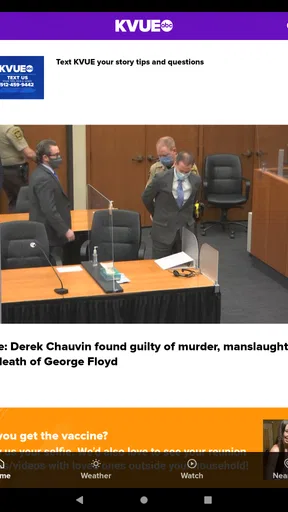
Austin News from KVUE is a local news app focused on the Austin, Texas area. It brings together breaking news, weather updates, traffic information, sports coverage, community stories, and video reports from the KVUE newsroom. After exploring the app, I found it especially useful for readers who want a quick overview of regional events without relying only on a mobile browser.
What type of content can I find in the KVUE Austin News app?
The app typically includes local and national headlines, developing stories, weather forecasts, severe weather alerts, traffic reports, investigative articles, entertainment updates, and sports news. Users can also watch video clips and live or on-demand coverage when available. The selection is centered on Central Texas, making it more relevant to Austin residents than general news applications.
Does Austin News from KVUE provide weather alerts and forecasts?
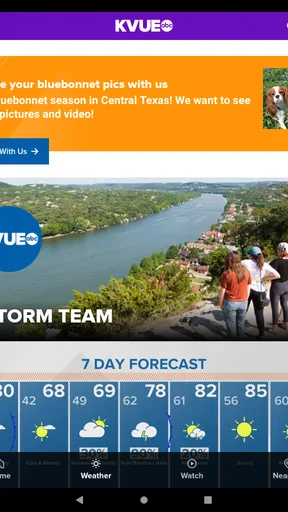
Yes, weather is one of the app’s most useful features for Austin users. It can provide current conditions, forecasts, radar information, and notifications about severe weather, depending on your location and notification settings. This is particularly helpful during thunderstorms, flash-flood risks, heat waves, and other rapidly changing weather situations common in Central Texas.
Is the Austin News from KVUE app free to download and use?
The app is generally available to download at no direct cost, although it may contain advertising or sponsored content. Most news articles, videos, forecasts, and alerts can usually be accessed without a subscription, but availability may vary by platform or feature. Users should also remember that streaming video and frequent updates can consume mobile data.
Does the KVUE news app require my location or personal information?
Some features may request location access, particularly personalized weather forecasts, nearby alerts, and local content recommendations. You can normally deny permission and still read general news, although the experience may be less tailored. Before installing, review the app-store privacy details and choose notification, location, and data permissions according to your comfort level.


